Hey
Today we will be learning that how we can find the description of a site using webdriver script.It is very helpful in that test cases where we have to determine the type of website is about.We search for the content of meta description and get that is about which topic.
It is very easy to determine or get the content of website using selenium functions.In this we will again be using Xpath of the meta tag and then getting its attribute.
Xpath for meta description will be same for every site.But there may be cases where description in meta tag is not there or it is empty so in that case we have to handle it by Exception handling or using try and catch.
Now lets see the script
import org.openqa.selenium.By;
import org.openqa.selenium.WebDriver;
import org.openqa.selenium.chrome.FirefoxDriver;
public class metadesc{
public static void main(String args[])
{
WebDriver driver;
driver=new FirefoxDriver();
String base="http://seleniumtestingcom.blogspot.in/";
driver.navigate().to(base);
String a=driver.findElement(By.xpath("//meta[@name='description']")).getAttribute("content");
System.out.println(a);
}
}
Lets see the output
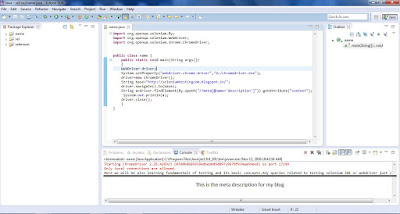
Today we will be learning that how we can find the description of a site using webdriver script.It is very helpful in that test cases where we have to determine the type of website is about.We search for the content of meta description and get that is about which topic.
It is very easy to determine or get the content of website using selenium functions.In this we will again be using Xpath of the meta tag and then getting its attribute.
Xpath for meta description will be same for every site.But there may be cases where description in meta tag is not there or it is empty so in that case we have to handle it by Exception handling or using try and catch.
Now lets see the script
SCRIPT FOR GETTING DESCRIPTION OF A WEBSITE
import org.openqa.selenium.WebDriver;
import org.openqa.selenium.chrome.FirefoxDriver;
public class metadesc{
public static void main(String args[])
{
WebDriver driver;
driver=new FirefoxDriver();
String base="http://seleniumtestingcom.blogspot.in/";
driver.navigate().to(base);
String a=driver.findElement(By.xpath("//meta[@name='description']")).getAttribute("content");
System.out.println(a);
}
}
Lets see the output